03 / Configuration you can version
Keep the settings in one file.
Start with the defaults. Add a plotsrv.yml when you want consistent storage, freshness, limits, receiver settings and appearance across runs.
01 / PUBLISH YOUR DATAA view of the business.
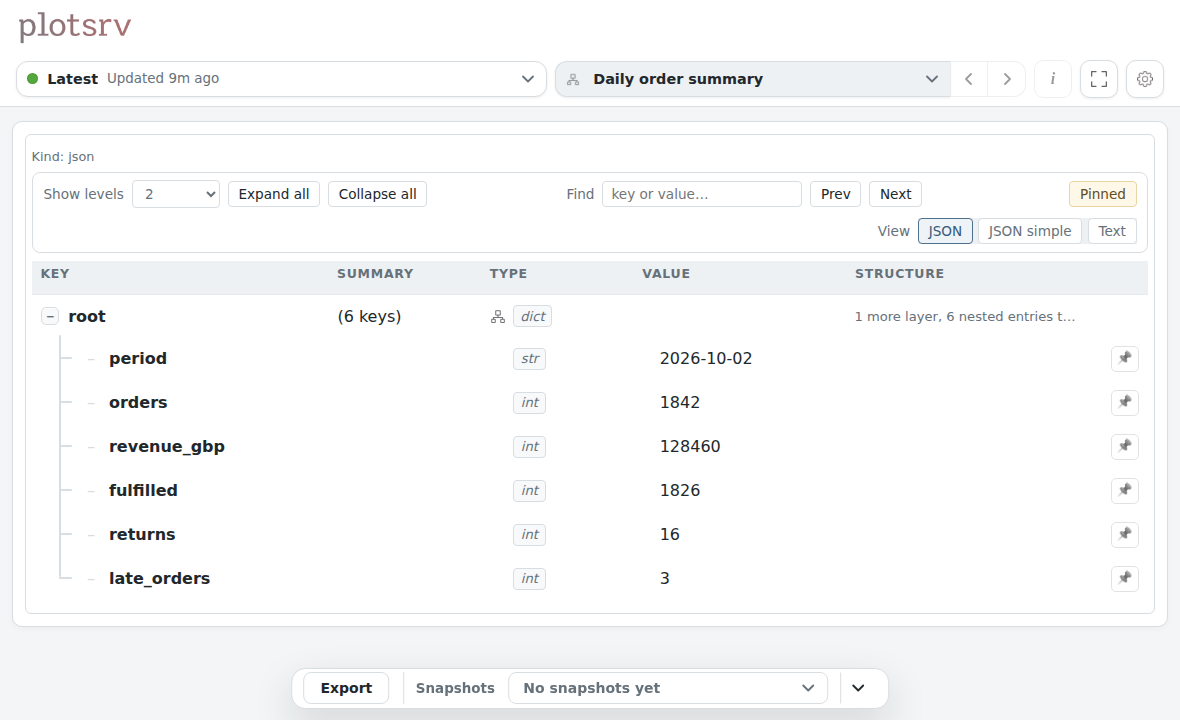
Publish a dictionary of daily order metrics. The default plotsrv UI lets you inspect the values as soon as they arrive.
publish_view(summary,
  view_id="business:summary")
Synthetic order data for Northstar, a fictional business. Both views show the same final values.
02 / ADD YOUR CONFIGSame data. A few settings.
Add your logo and header colour, keep the last five snapshots, and set the cadence you expect new data to arrive.
A small check reads the published late_orders metric and flags a value above zero.
This example expects an update every five seconds and marks it stale after ten. Set these intervals to suit your own process.
03 / THE CONFIGURED VIEWYour branding. A little more context.
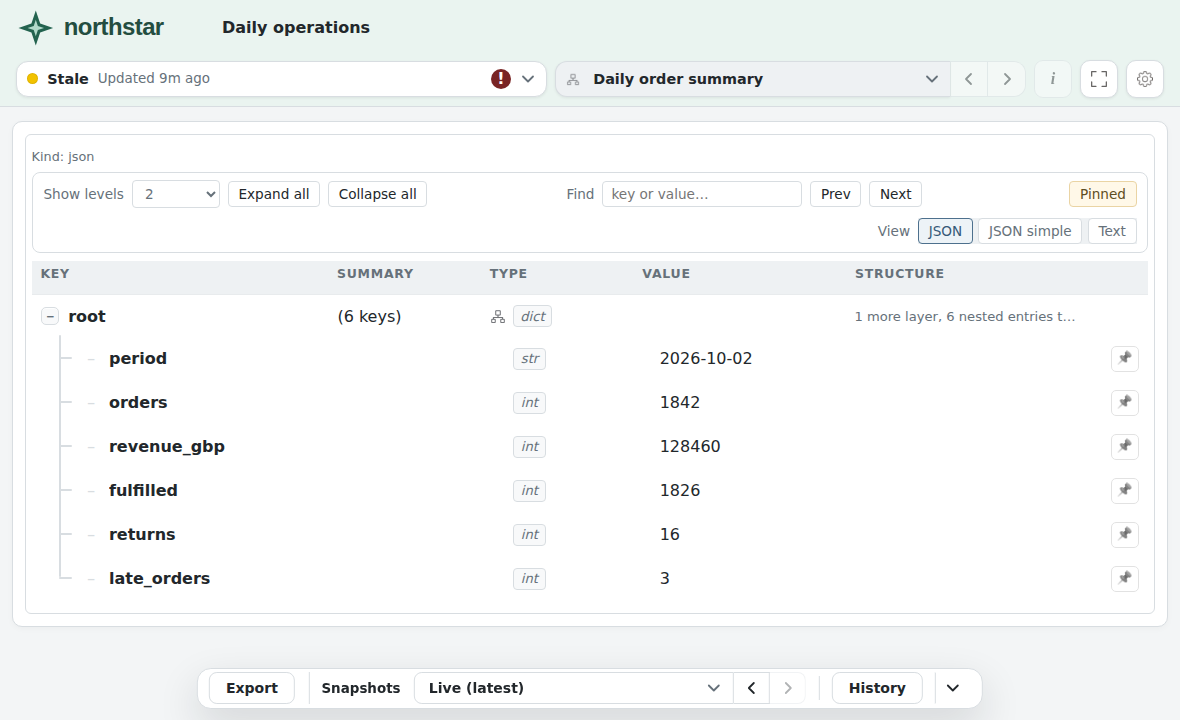
The same order summary now has Northstar’s logo and header. Updates are stored as snapshots, ready to revisit from the history controls.
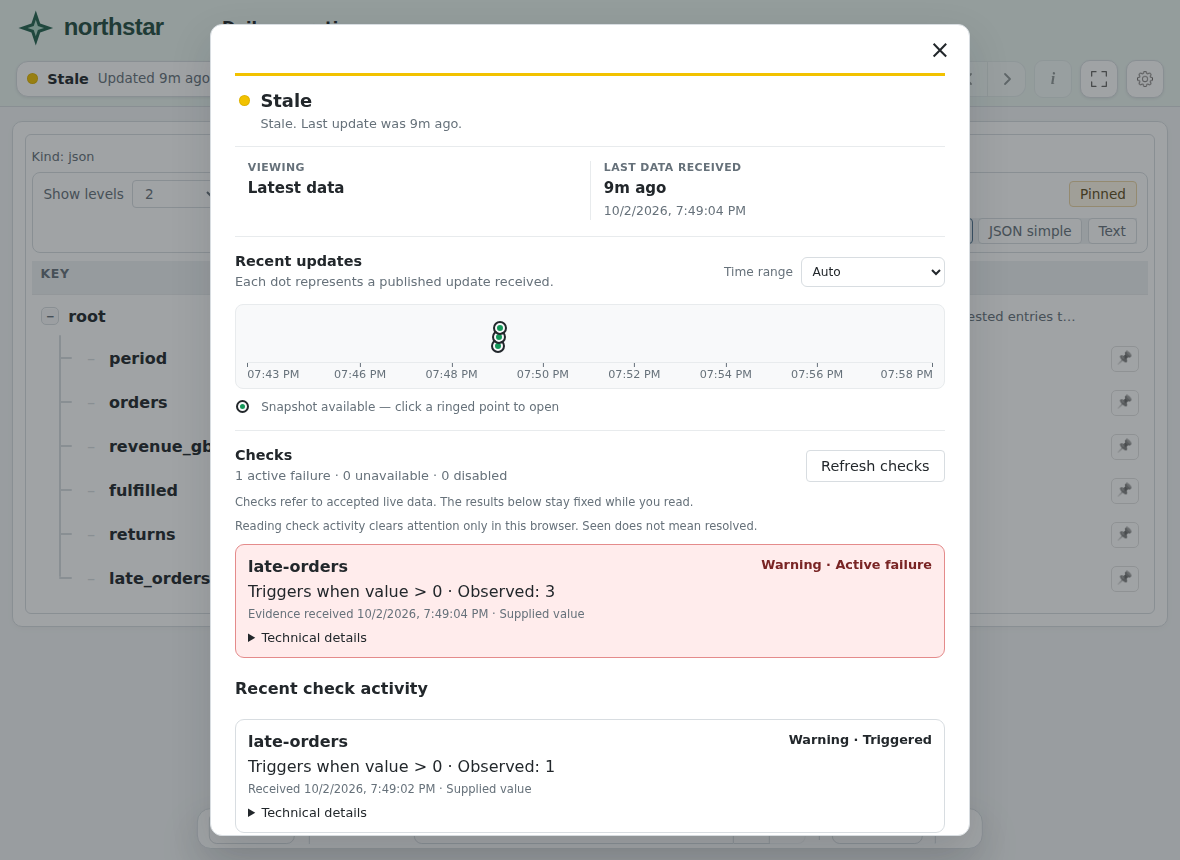
When the publisher stops sending data, the view becomes Stale. Its content stays available to inspect.
Three updates were published and stored for this example.
04 / INSPECT THE STATUSSee why it needs attention.
Open the status panel to see the recent updates, saved snapshots and check result together.
The check shows late_orders = 3, above the configured threshold of zero. Freshness separately tells you how long it has been since new data arrived.
Captured from plotsrv after real updates, storage and check evaluation.
01 / Data02 / Config03 / View04 / Status